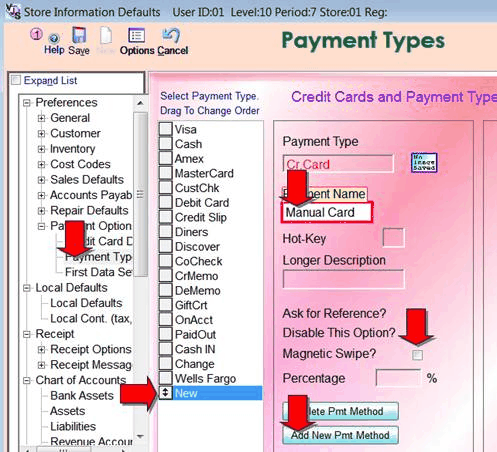
For the times where you process a credit cards outside of shopkeeper you need to have a payment type button in Shopkeeper that will NOT try to re-process.
E.g. in Maintenance, Preferences, Payment Options, Payment Types, add a new one called just CreditCard (or Manual, or something) and set this to NOT request a Magnetic Swipe.
You can also drag it up the list by dragging the double-headed-arrow button/box.
Then in the VJS payment screen when you select that payment type it will just believe that you've already got the payment and will not re-process.